Best Laptops for Content Creation in 2025


Whether you're a video editor, graphic designer, photographer, or content creator, having the right laptop can make or break your workflow. We've tested dozens of machines to bring you the definitive guide to the best laptops for creative work in 2025.
What Makes a Great Content Creation Laptop?
Content creation demands different things from a laptop than typical office work. Here are the key factors we considered:
- Display Quality: Color accuracy, resolution, and screen size
- Processing Power: CPU performance for rendering and multitasking
- Graphics Performance: GPU capabilities for video editing and 3D work
- RAM and Storage: Sufficient memory and fast storage for large files
- Port Selection: Connectivity for external displays and devices
- Build Quality: Durability for professional use
Top Picks for 2025
1. MacBook Pro 16-inch M3 Max - Best Overall
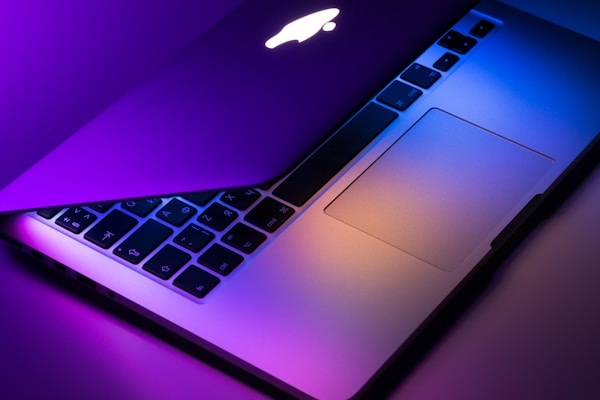

The MacBook Pro 16-inch with M3 Max is simply the best laptop for most content creators. The combination of incredible performance, stunning display quality, and excellent battery life makes it hard to beat.
Pros
- Exceptional performance for video editing
- Outstanding display with P3 color gamut
- Excellent battery life (up to 18 hours)
- Silent operation under most workloads
- Premium build quality
Cons
- Very expensive
- Limited upgrade options
- Fewer ports than some competitors
- macOS may not suit all workflows
2. Dell XPS 17 (2024) - Best Windows Alternative
For creators who prefer Windows or need specific software compatibility, the Dell XPS 17 is an excellent choice with its large 17-inch 4K display and powerful RTX graphics.
3. ASUS ProArt StudioBook 16 - Best for 3D Work
Specifically designed for creative professionals, the ProArt StudioBook 16 offers exceptional color accuracy and powerful specs at a more affordable price point.
Budget Recommendation
For creators on a tighter budget, consider the MacBook Pro 14-inch with M3 (starting at $1,999) or the ASUS Vivobook Pro 16X OLED (starting at $1,399). Both offer excellent performance for most creative tasks.
Software Considerations
Your choice of creative software can influence your laptop decision:
- Final Cut Pro: Optimized exclusively for Mac, making MacBook Pro the clear choice
- Adobe Creative Suite: Works well on both Mac and Windows, with slight performance advantages on Mac for Premiere Pro
- DaVinci Resolve: Excellent on both platforms, benefits from powerful GPUs
- Blender: CUDA acceleration makes NVIDIA GPUs advantageous
Buying Guide Tips
- Don't skimp on RAM: 32GB is the sweet spot for 4K video editing
- SSD storage is crucial: Faster storage significantly improves performance
- Color accuracy matters: Look for displays covering 95%+ of DCI-P3 color space
- Consider external displays: A good laptop display is important, but external monitors can expand your workspace
- Think about upgradeability: Some laptops allow RAM and storage upgrades later
Conclusion
The MacBook Pro 16-inch with M3 Max sets the gold standard for content creation laptops in 2024. While expensive, its combination of performance, display quality, and efficiency is unmatched. For Windows users, the Dell XPS 17 offers comparable performance with more upgrade options.
Remember that the "best" laptop depends on your specific needs, budget, and preferred software ecosystem. Consider your workflow requirements and don't hesitate to invest in a machine that will serve you well for years to come.